From invite link to your first automated PR.
PodPulse detects Kubernetes incidents, analyzes root causes with AI, and opens pull requests with proposed fixes — automatically.
Create your account
You received an invitation link. Open it in your browser:
The link pre-validates your invitation and takes you directly to the account creation form. Enter your email address and choose a password (minimum 8 characters). Once you click Create account, you are automatically signed in and redirected to your dashboard.
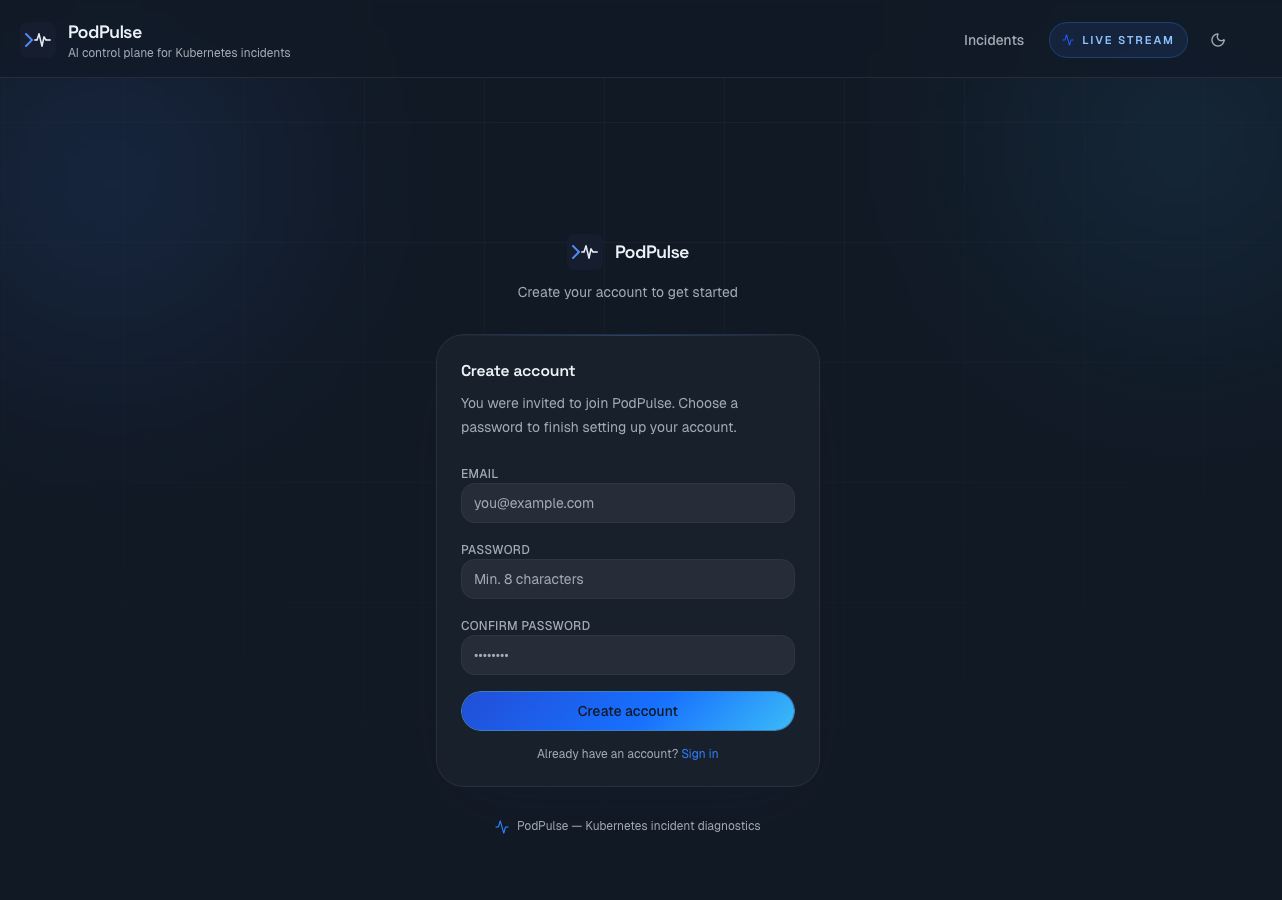
Your personal dashboard is empty at this point — incidents will appear here once the agent is running.
Connect your GitHub repository
Navigate to Settings using the profile icon in the top-right corner. In the GitHub Integration section, click Connect GitHub App.
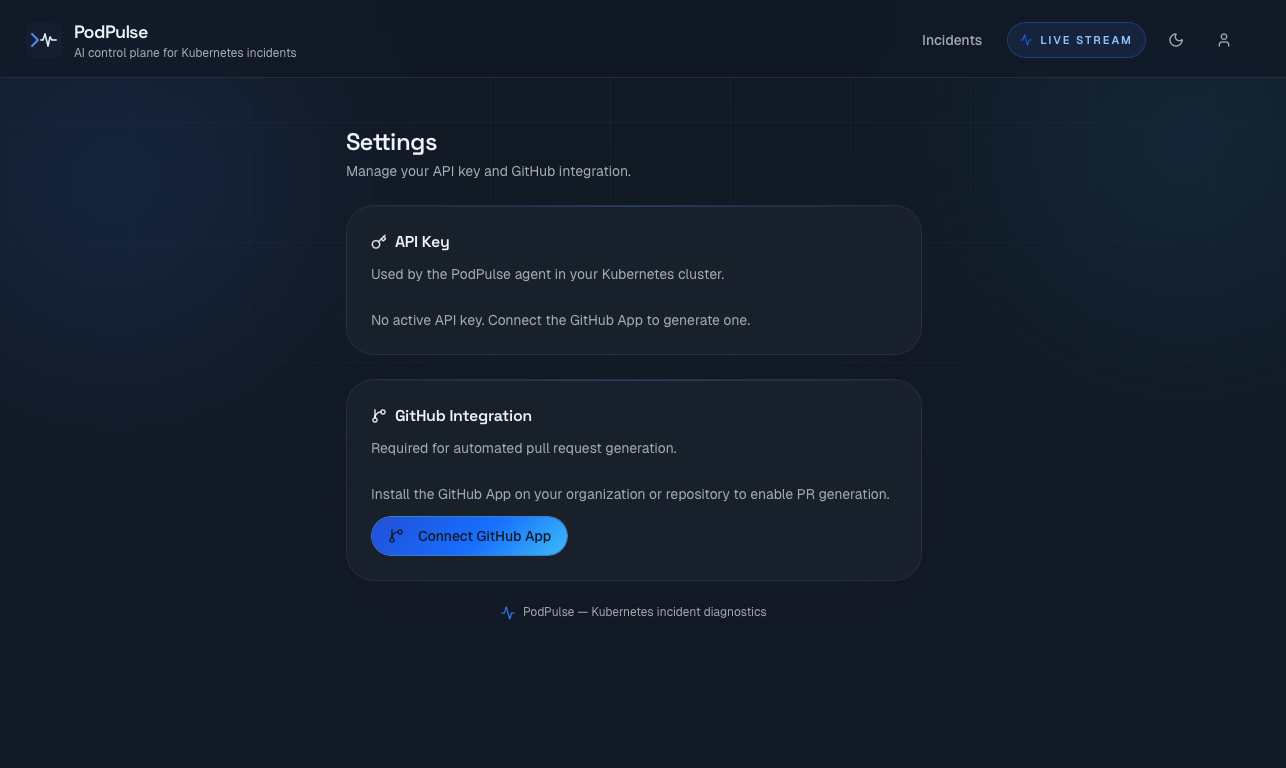
GitHub will ask you to:
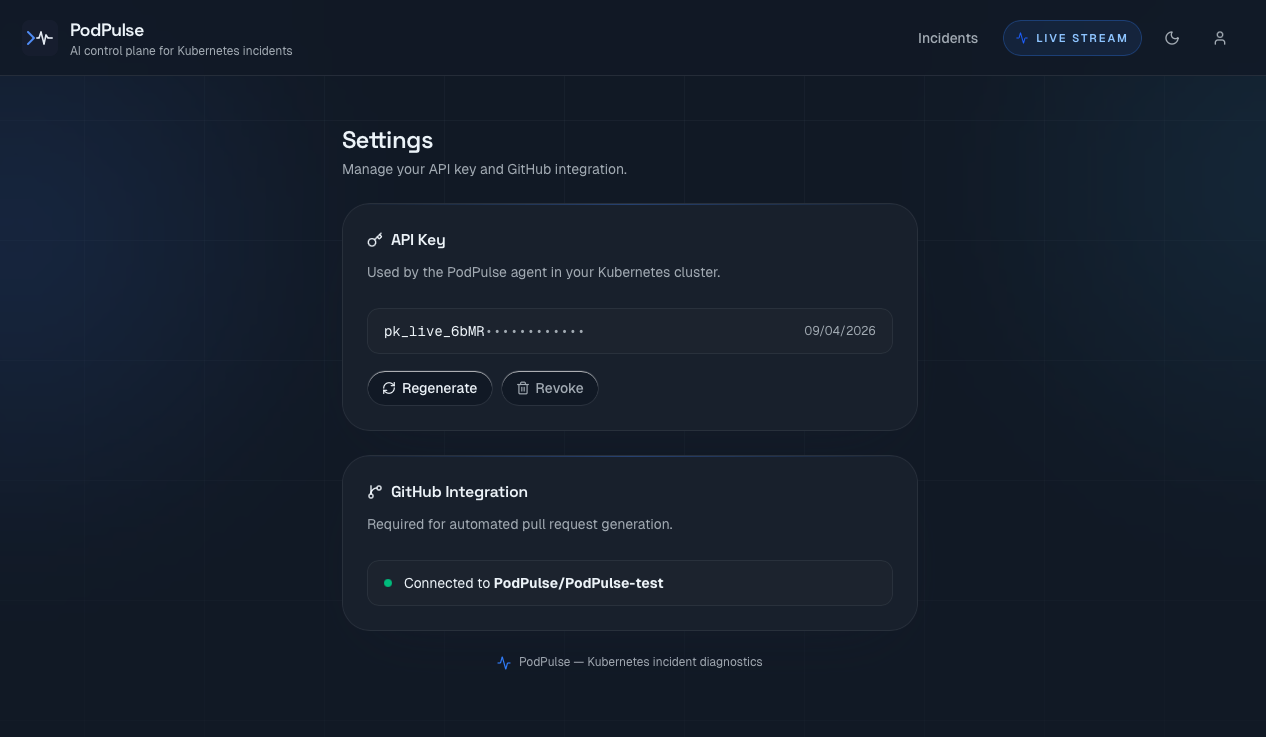
After the redirect, Settings shows your connected repository with a green status indicator.
Copy your API key
When GitHub redirects you back to Settings, a green banner displays your API key in full — this is the only time it will ever be shown. Copy it immediately and store it securely (password manager or secrets vault).
Your API key looks like this:
Deploy the PodPulse agent in your cluster
The PodPulse agent is an open-source Go binary that runs inside your cluster. It requires read-only Kubernetes permissions only — it never modifies any cluster resource. Install it via Helm in two commands:
Add the PodPulse Helm repository
Install the agent
Permissions granted to the agent
| Resource | Permissions | Purpose |
|---|---|---|
| pods, pods/log | get, list, watch | Detect incidents, collect logs |
| events | get, list, watch | Capture Kubernetes events |
| nodes | get, list, watch | Identify affected node |
| deployments, replicasets | get, list, watch | Resolve workload context |
| secrets | none | Never accessed |
The agent communicates outbound only — to the PodPulse backend via gRPC. No inbound ports are opened. No Kubernetes Secrets are ever read or transmitted.
Verify the agent is running
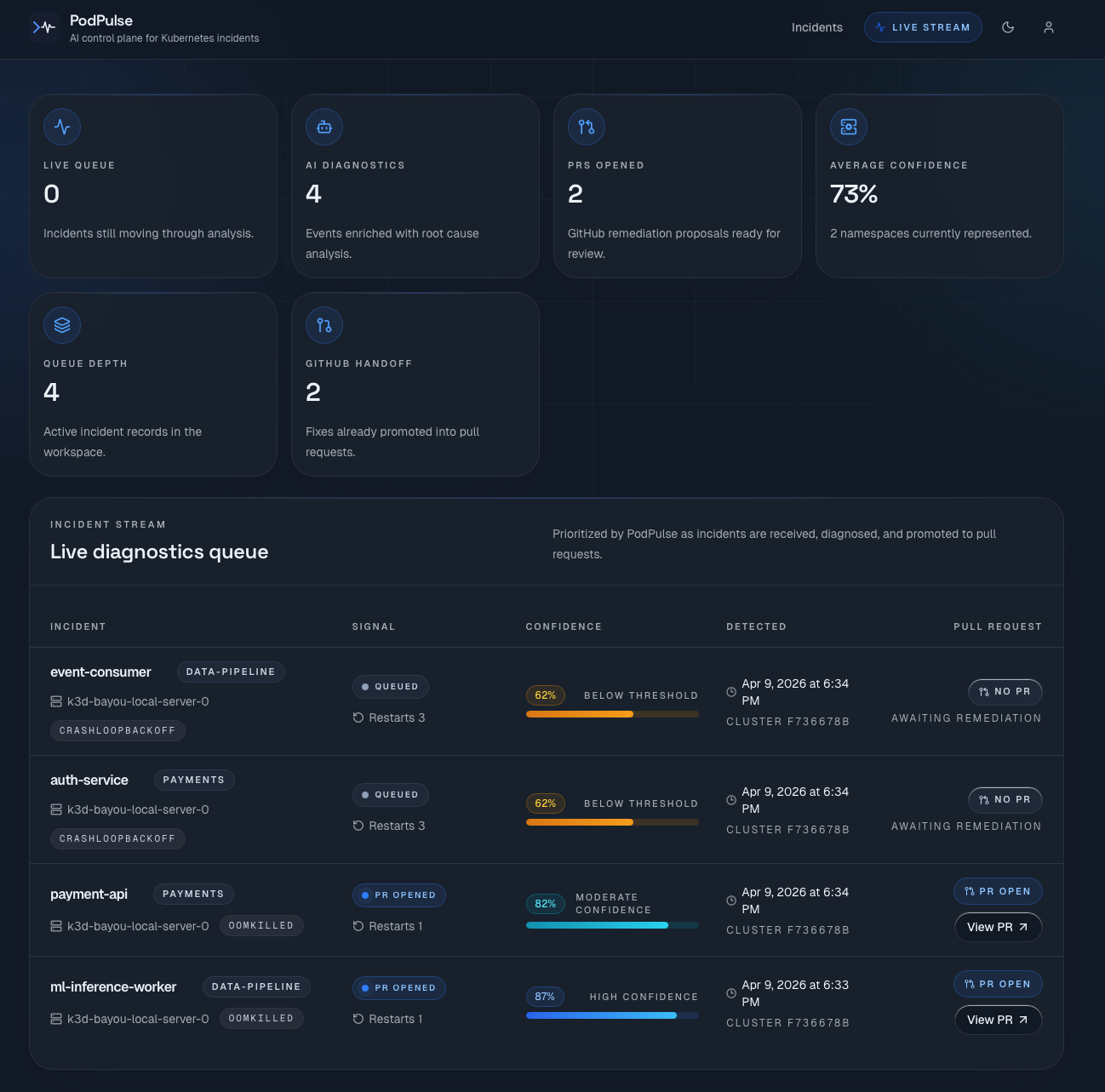
Watch incidents get detected and pull requests get opened
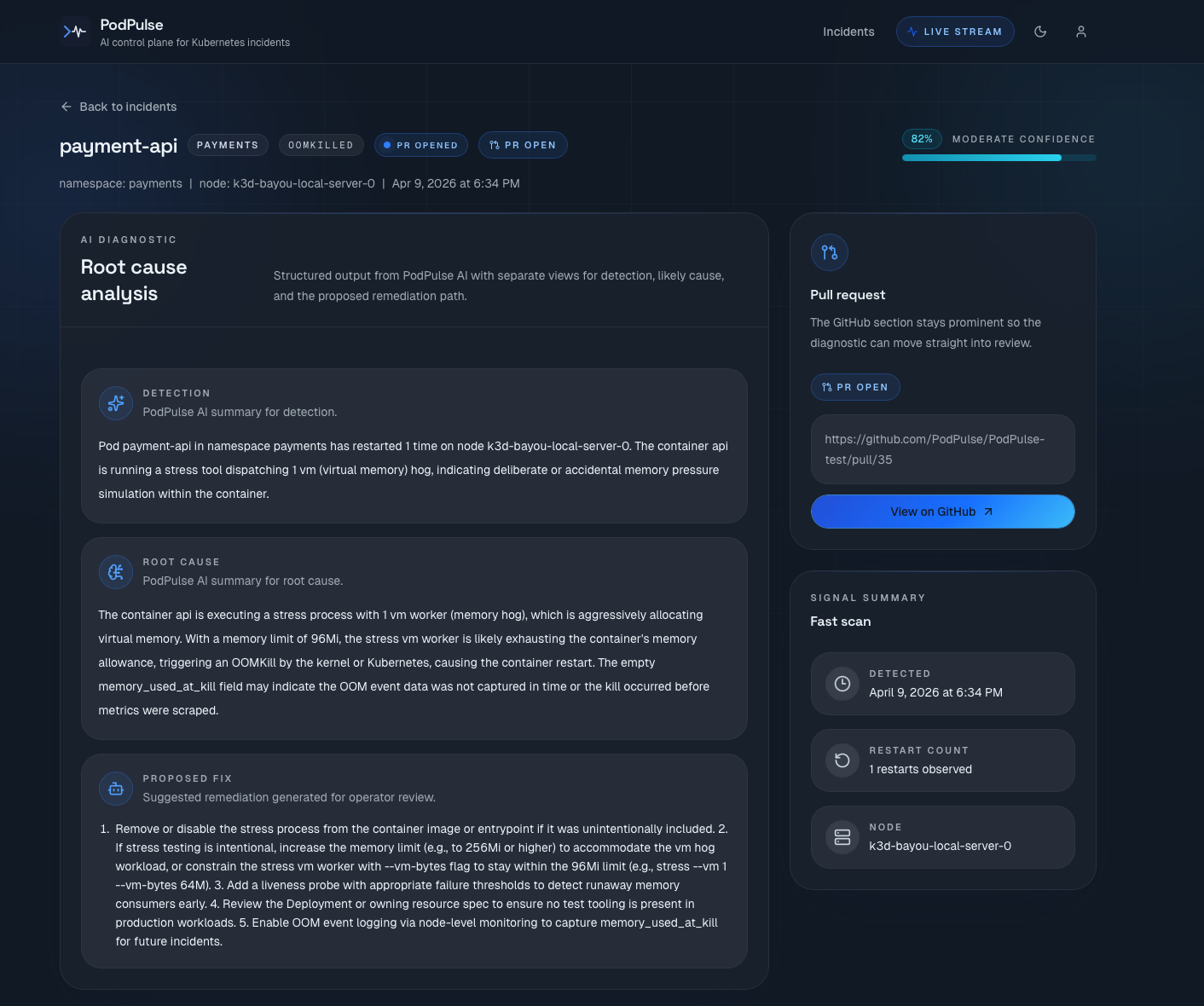
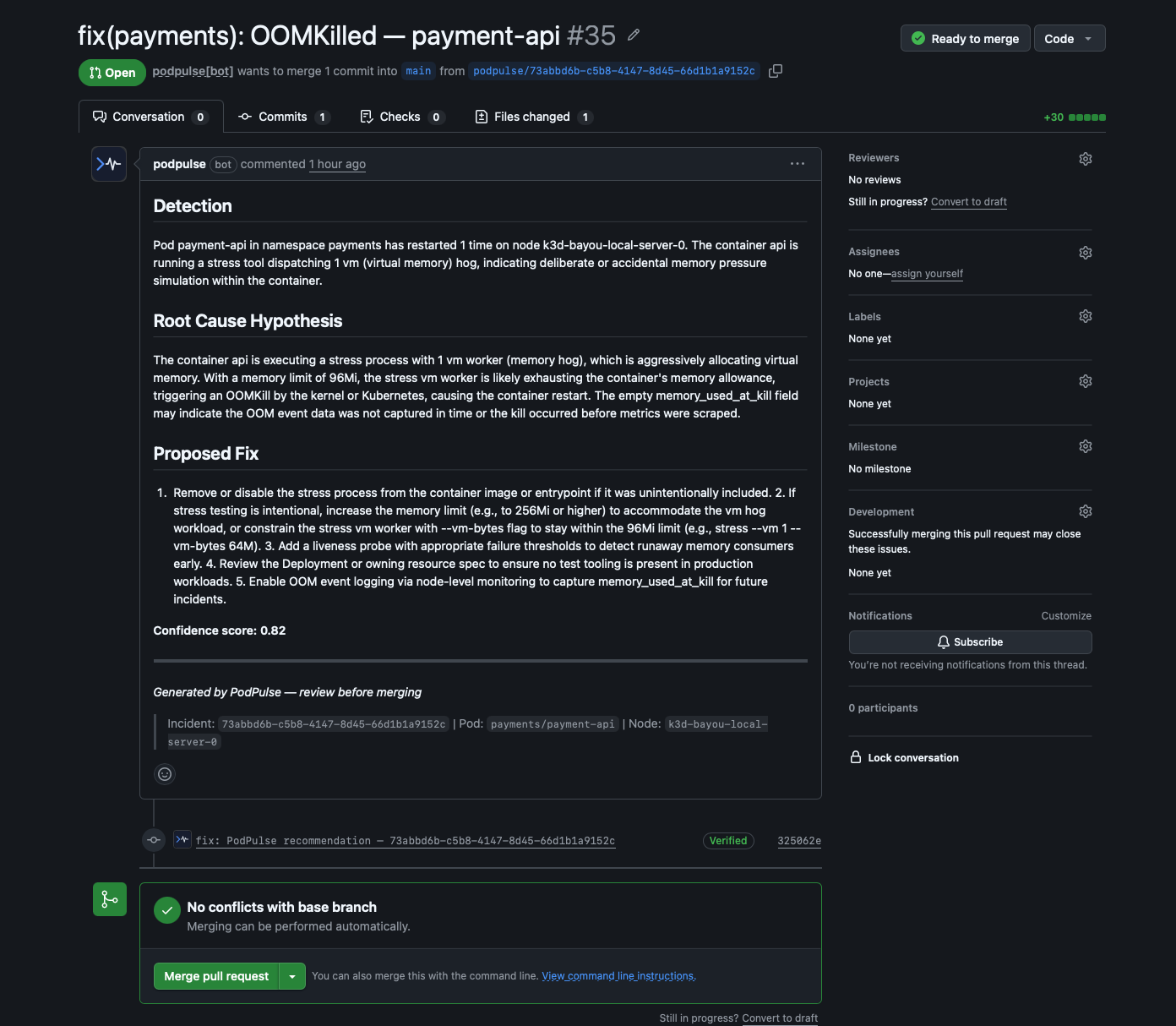
Once the agent is running, it immediately starts monitoring your cluster. When a pod fails — OOMKilled, CrashLoopBackOff, or other supported patterns — the full pipeline runs automatically within seconds:
Troubleshooting
Check the API key is correctly set:
Look for authentication errors in the logs:
The agent only reports incidents matching supported patterns (OOMKilled, CrashLoopBackOff). Verify your pods are actually failing and that the agent pod is in Running state.
Check the GitHub integration in Settings. The GitHub App must be connected before any PR can be created. Low-confidence detections surface as insights only — no PR is opened below the threshold.
Go to Settings → API Key → Regenerate. Your old key is immediately revoked. Update the agent: